

Discover Next-Level 3D Printing
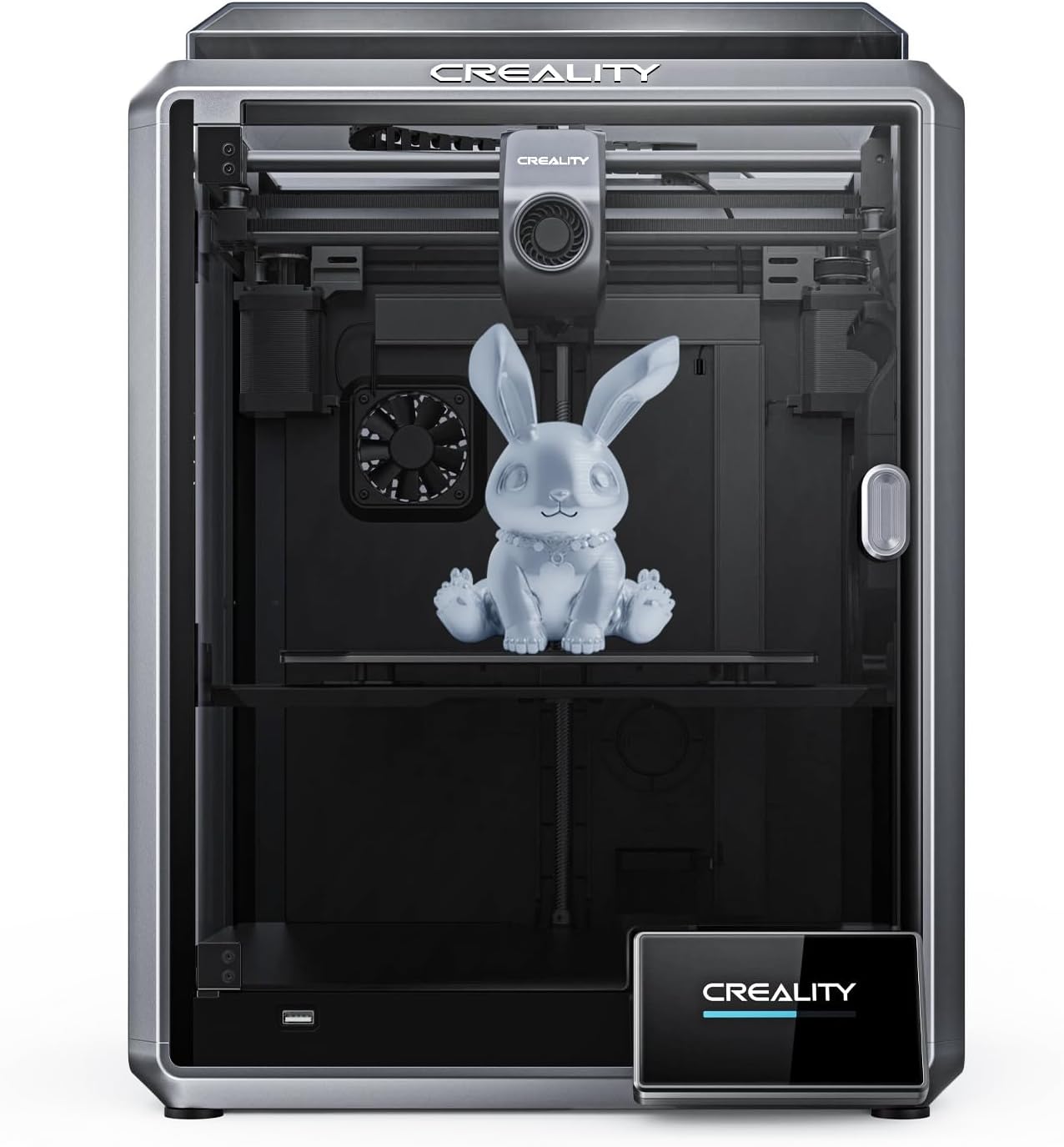
Embark on an exceptional 3D printing journey with our High-Speed 3D Printer. This advanced device redefines the boundaries of 3D printing, offering unparalleled speed, precision, and ease of use. Whether you’re a professional designer, educator, hobbyist, or exploring the world of 3D printing for the first time, this printer is designed to meet your every need.

Features at a Glance
- Impressive Speed: Achieve up to 23.62″/s, ensuring rapid production.
- Premium Dual-Gear Extruder: Heats to 200℃ in 40 seconds for instant filament melting.
- Large Build Volume: A spacious 8.66*8.66*8.66″ print area for diverse project sizes.
- Intuitive 4.3” Color Touchscreen: Simplifies operation and enhances user experience.
- Advanced Auto Leveling: Hands-free leveling for a seamless printing process.
- Remote Monitoring and Control: Manage your printing projects from anywhere using WiFi or Ethernet.
Unmatched Quality and Convenience
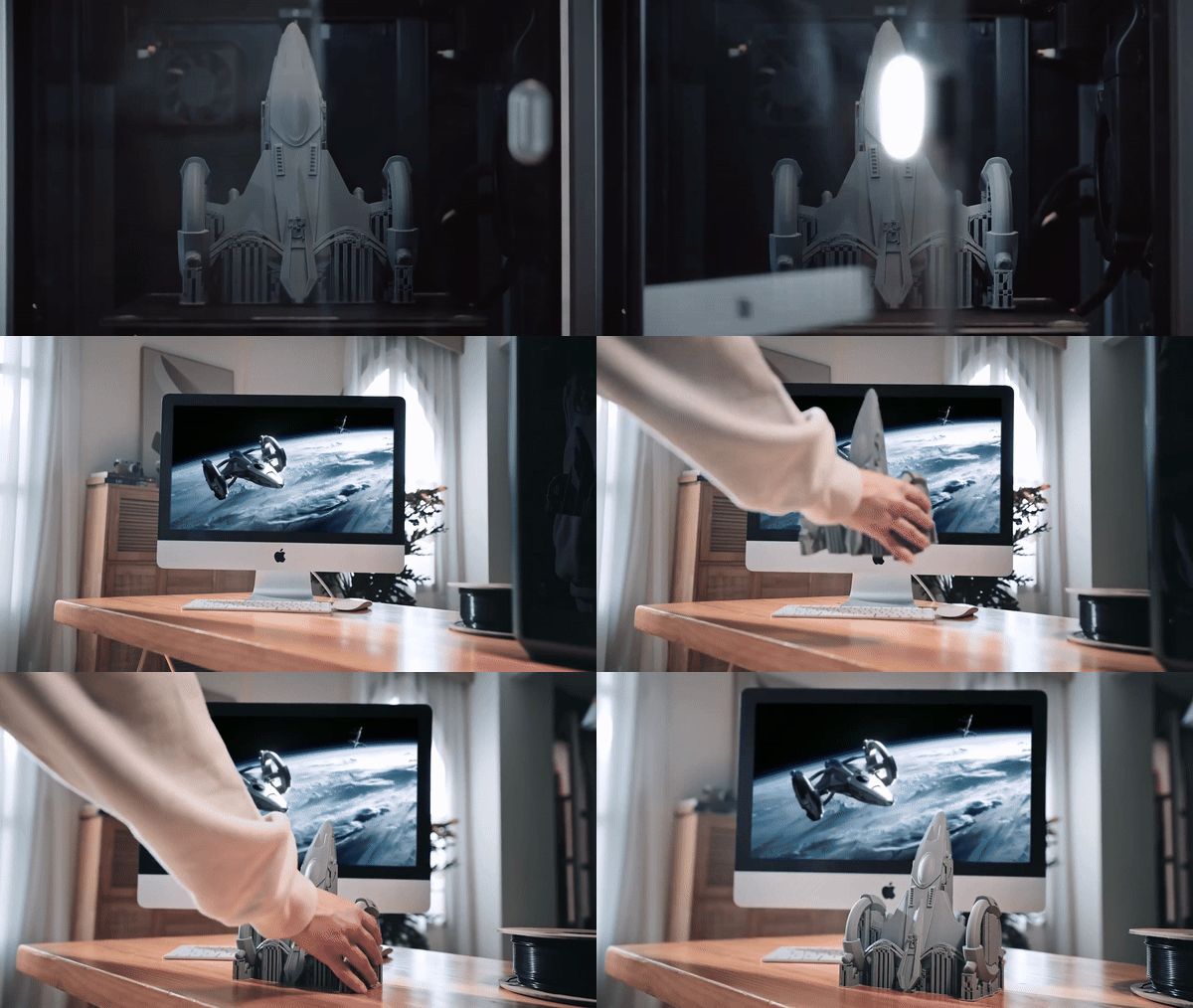
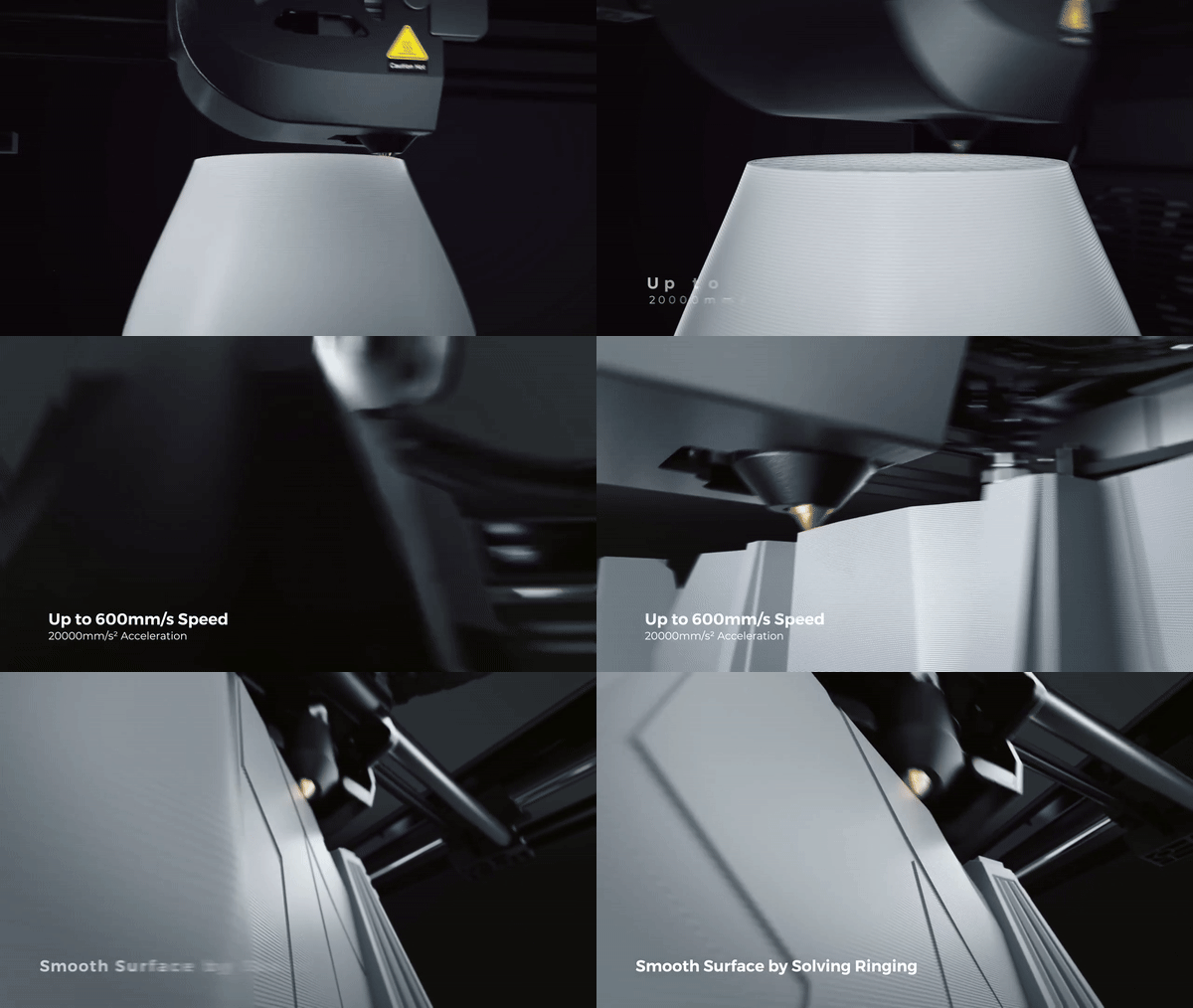
Our High-Speed 3D Printer stands out with its remarkable speed and efficiency, capable of reaching speeds of 600mm/s in just 0.03 seconds. This rapid functionality, coupled with a lightweight printhead, makes it as productive as several printers combined. The dual-gear direct extruder, equipped with a state-of-the-art ceramic heater, provides high flow and consistent performance even at temperatures up to 300℃. Designed for ease and precision, this printer features a built-in 1 μm resolution LiDAR for flawless first layers. It also boasts a dual-core 1.2GHz CPU for handling high-speed printing effortlessly, along with 8G ROM for storing numerous models. Its user-friendly interface supports one-touch auto leveling, and the flexible build plate is compatible with a wide range of filaments. The aluminum alloy heatbed ensures uniform heating, and the unibody die-cast aluminium frame maintains stability during high-speed printing.
Why Choose Our High-Speed 3D Printer?
This printer is ideal for those who value speed, precision, and reliability in their 3D printing endeavors. It’s perfect for rapid prototyping, educational purposes, and personal projects. Its high-speed capabilities, combined with user-friendly features, make it a top choice for both beginners and seasoned professionals. Experience the future of 3D printing today. With our High-Speed 3D Printer, you’ll unlock new possibilities, achieve remarkable results, and streamline your creative process. Order now and take the first step towards transforming your ideas into reality.




Porter Auer –
Despite a minor issue with a wire connector, assembly was easy, and the printer exceeded expectations.
Laurianne Skiles –
The K1 is incredibly fast right out of the box. Printing is streamlined through the cloud, eliminating much of the guesswork. I particularly appreciate the built-in enclosure, which not only saves space compared to my previous setup but also enhances safety for materials like ASA/ABS. I’ve already printed a fan guard with carbon filter material, further showcasing its versatility. Considering the enclosure features, it’s a fantastic choice within its price range.
Moises Hirthe –
This product is excellent and is utilized by a robotics group.
Jaylon Rippin –
The printer is fantastic. I’ve had zero issues with it; it came with a V1 nozzle and extruder, and everything has worked flawlessly. I set it up in just 15 minutes thanks to the built-in calibration. During the Christmas season, I used this printer extensively for gifts and displays without any problems. Compared to my older printers, this one is about four times faster on average. I highly recommend it and am considering getting the K1 Max next.
Sim Lowe –
Initially, the printer’s performance surpassed my expectations, especially when compared to a previous model I owned. After a simple upgrade, the print quality improved significantly.
Cindy Hill –
After only a week, the printer’s speed and quality have significantly impressed me, outperforming older models in every aspect.
Domenic Roob –
So far, this printer has exceeded my expectations. It’s ready to print right out of the box, which is fantastic! I conducted a high-speed benchy print and it completed in just about 16 minutes with outstanding quality. However, I have deducted a star for a few reasons. Firstly, the printer comes with Klipper firmware out of the box, but Creality hasn’t provided full mainsail or fluidd access for making adjustments. My printer experiences slight under extrusion, and unfortunately, there’s no way to adjust this within the firmware; adjustments must be made in the slicer settings, which feels like a temporary fix rather than a proper calibration. Additionally, I feel that the lid to the printer was an afterthought; it should have been designed with hinges and a kickstand to keep it open during PLA printing, rather than having to remove and store it separately. Lastly, I’ve noticed that the interface/touch screen is quite laggy in response. The K1 takes some time to respond to commands like turning on lights or fans, or navigating through menus.
Isobel Walker –
You can’t go wrong with Creality printers, and the speed of this one is incredibly impressive.
Jace Legros –
This machine maintains speed without compromising on print quality. I adjusted the speed from the initial 600mm/min test files to 300mm/min for optimal results. It’s a significant improvement over previous models like the Ender 3 Pro and CR series. I also appreciate the optional camera feature, various nozzle and bed upgrades, and the user-friendly Creality slicer. Overall, I highly recommend it despite the initial challenges; it’s been a rewarding investment.
Ocie Muller –
This printer offers amazing functionality straight out of the box, with no assembly required. It started printing within 15 minutes of unboxing.
Arnoldo Barrows –
I love it! It’s user-friendly and offers great functionality with various filaments.
Ferne Kling –
Initial Impressions Out of the Box: The build quality is impressive; this printer exudes a premium look and feel. Following the initial setup, I was able to produce high-quality models with ease. Minimal assembly is required to prepare the printer for printing.
It’s crucial to update the firmware before starting your first print. My printer’s firmware was several versions behind, which could potentially cause issues. Updating to the latest firmware resolves bugs and improves printing performance.
Initially, I encountered some odd behavior with the printer, such as the LED light flashing on and off during printing. However, I realized that I had forgotten to switch the power supply of the printer from 220V to 110V. After making this adjustment, the printer functioned as expected.
Waino Kohler –
Encountered an issue with outdated parts, but Sainsmart swiftly resolved it by sending updated components, allowing me to resume printing. Thank you for the exceptional support, Sainsmart!
Jerrell Bednar –
The packaging and assembly process suggested a high-quality machine, suitable for both beginners and experienced users.
Cale Ebert –
I’ve had the K1 for a few months now, and initially, everything went smoothly. However, recent firmware updates have led to poor quality first layers. Additionally, the bed was severely out of level when the printer arrived. If you’re considering buying this printer, I strongly recommend researching how to configure Cura or another slicer specifically for this model. While Creality Print is decent, I believe it also contributes to the printer’s print quality issues.
Bernhard Schmitt –
This printer is amazing straight out of the box. Although the setup might take longer if you’re new to 3D printers, the results are incredible without any adjustments needed. It’s lightning-fast, sometimes even a bit scary, but it maintains excellent print quality regardless of speed.
Hallie Conroy –
Among the printers I’ve owned, this one stands out as the best so far. The hands-free leveling and WiFi connectivity are excellent features.
Adolphus Dach –
Initial Impressions: The printer arrived well-packaged with no loose components. It included a useful array of tools and a thumb drive. Although there is some setup required, it’s minimal. Just three screws need to be removed, and the touch panel installed. Essentially, it’s almost ready to use straight out of the box. The build quality appears excellent, with a solid feel. The enclosed design is a standout feature and should offer better temperature control compared to my previous open-air printer. The Z-axis uses three ball screws, and the rest is belt-driven. Everything seems sturdy and well-built.
Power-Up: The printer powered up smoothly, and after connecting to the network, the self-check feature provided assurance that everything was functioning correctly. I decided to skip the Creality Cloud setup initially but may explore it later for additional features. While there were numerous features available through the cloud, I opted to stick with Cura, my preferred software. I’ve been gradually increasing printing speeds from what I used with my old printer, as I didn’t want to push it to the maximum right out of the box. So far, I’ve been fine-tuning the PLA settings, and the results have been impressive. I’ve achieved double the speed with improved print quality. I’m excited to experiment further and reduce my usual print times.
Overall, I’m highly impressed with the printer and eager to start using it. As with any new machine, there may be some initial challenges, and I haven’t yet explored firmware updates or upgrades. However, I trust that Sainsmart will provide reliable support, as they have with previous products I’ve purchased from them.
Meagan Lynch –
As a newcomer to 3D printing, my experiences with PLA and NylonX materials have been quite positive, resulting in high-quality prints with proper adjustments.
Dedric Marks –
After encountering a significant issue and nearly losing faith in Creality, they ultimately delivered and exceeded expectations. The K1 performs admirably! A special thank you to Jamie for going above and beyond and providing exceptional customer service.
Lina Connelly –
Absolutely love it!
Javier Stracke –
This is an excellent printer, though it arrived without the expected firmware, affecting some features. Assembly is straightforward, and adjusting the settings for PLA improves bed adhesion.
Marilie Jakubowski –
A perfect beginner’s printer. It required minimal setup and was ready to use out of the box, much to my fiancé’s delight, who has been continuously printing since Christmas.
Norberto Wolf –
When we embarked on our search for a 3D printer that would be suitable for our family’s needs, the K1 immediately caught our attention. We were specifically looking for a machine that could not only fulfill our printing requirements but also match our enthusiasm for faster printing speeds.
Unboxing and Setup: One of the most thrilling moments was unboxing the K1. Our 11-year-old son took the lead, and we were pleasantly surprised to find everything neatly organized inside. There were no loose parts, and the inclusion of useful tools and a thumb drive enhanced the overall experience. Setting up the printer was a breeze, requiring just the removal of three screws and the installation of the touch panel. The printer’s sturdy build was immediately apparent, giving us confidence in its durability. The enclosed design stood out, promising better temperature control during printing sessions. With a combination of ball screws in the Z-axis and belt drive for other movements, the printer felt extremely robust.
Power-Up and Initial Prints: Upon powering up the K1 and connecting it to the network, we were greeted by a reassuring self-check feature. Eager to test the printer’s high-speed capabilities, we wasted no time and dove right into printing. We wanted to witness how swiftly our designs could materialize. Gradually increasing the printing speeds, we were amazed by the results. The K1 easily doubled our previous printing speed while maintaining or even enhancing print quality. This was a game-changer for our son, who had grown frustrated with the slow pace of his previous printer.
Outstanding Customer Service: We must commend Creality for their exceptional customer service. When we had a few queries regarding software setup, they responded promptly, and their assistance added to our overall satisfaction with the printer.
The Joy of Speed and Family Togetherness: One delightful surprise with the K1 is how much our children enjoy watching it in action. They are fascinated by its rapid printing speed, and it has become a family activity to gather around and marvel at the intricate creations taking form before our eyes. Our 11-year-old son, especially, is thrilled with how quickly his projects come to life. Whether he’s designing a custom rubber band car or printing a dice tower for his board games, he can now see the results almost instantly.
In summary, the K1 has transformed our 3D printing journey into a family adventure. It’s not just a printer but a catalyst for creativity and quality time spent together. Although we expected a learning curve, the K1’s exceptional performance and the excellent support from Creality have made this experience even more enjoyable. Our children are delighted with the speed at which their ideas become reality, and as parents, we couldn’t be happier with the bonding opportunities it provides.
Francisca Herzog –
Works great