

Discover Unmatched Security and Convenience
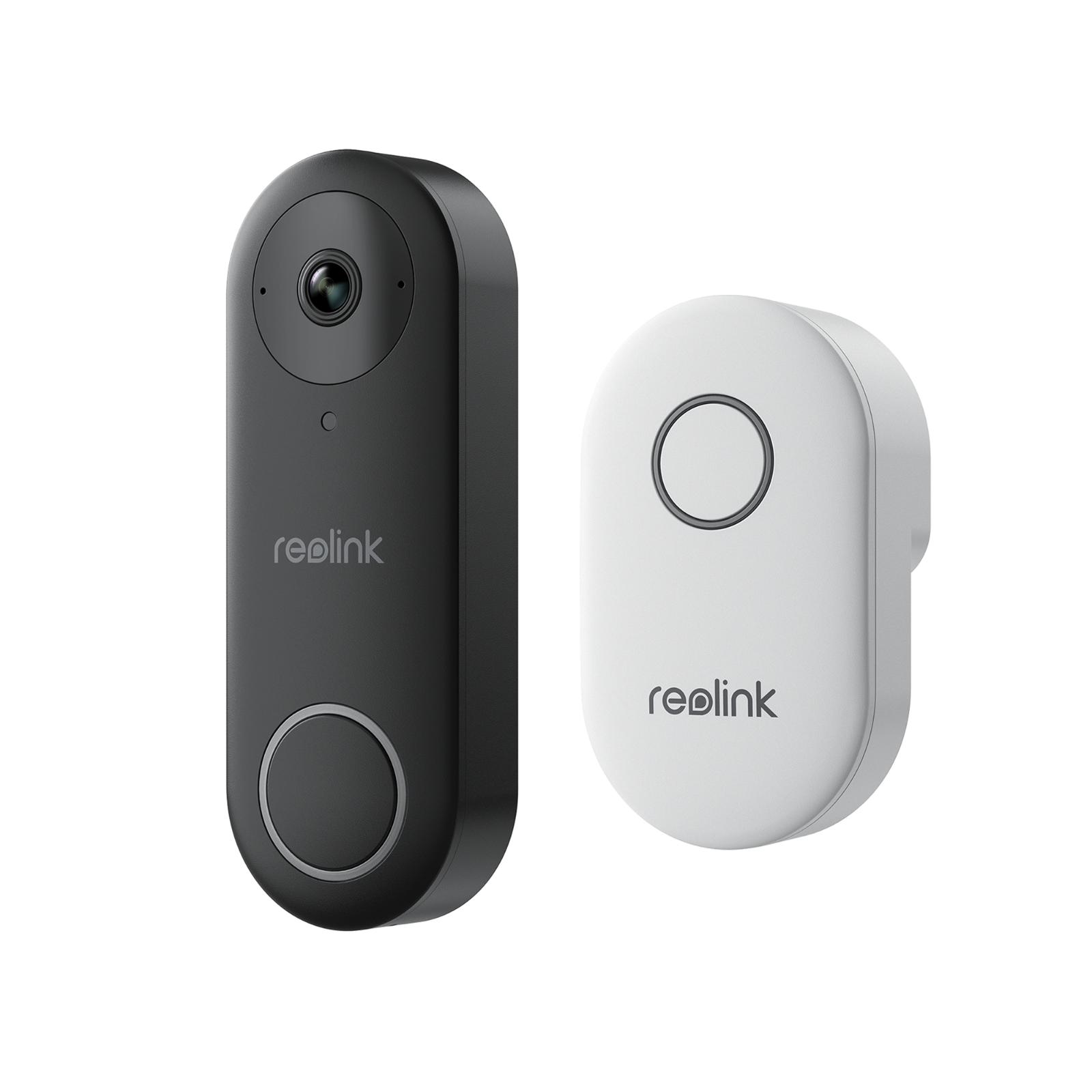
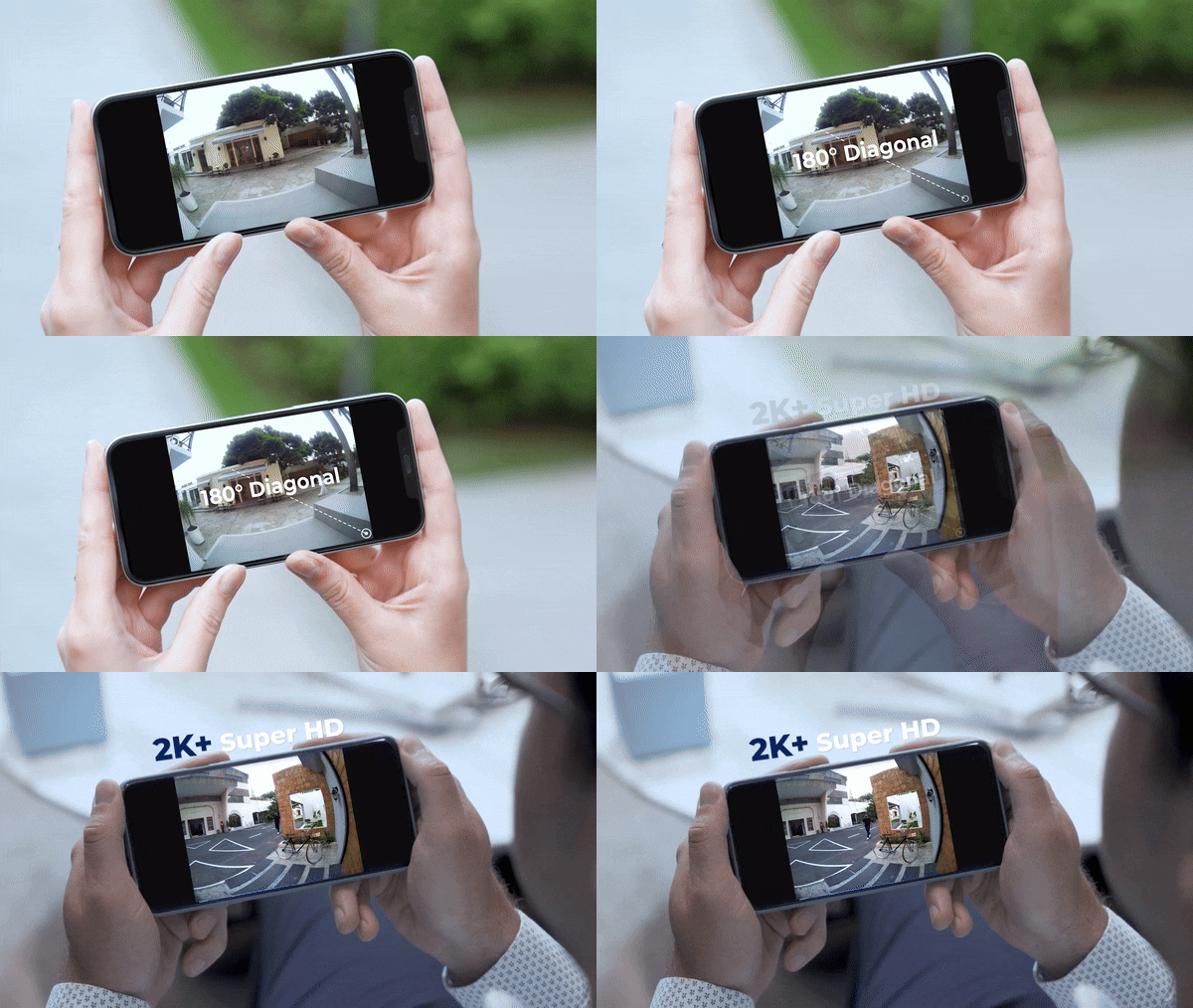
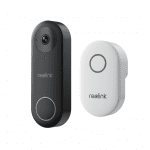
Enhance your home security with a cutting-edge 2K+ Smart Video Doorbell, designed to bring unparalleled clarity and convenience right to your doorstep. This state-of-the-art doorbell system not only captures video in stunning 2K+ resolution but also offers a wide 180° field of view, ensuring you never miss a detail. Whether you’re at home or away, keep a vigilant eye on your front door with features tailored for modern security needs.

Key Features That Stand Out
- Incredible 2K+ Resolution: Capture every detail with a 5MP camera and a broad 180° field of view.
- Smart Human Detection: Receive alerts only when a person is detected, minimizing unnecessary notifications.
- Custom Motion Zones: Focus on the most important areas of your front door and avoid false alarms.
- Night Vision: Keep watch around the clock with high-quality infrared night recording.
- Two-Way Audio: Communicate with visitors instantly without needing to open the door.
- Flexible Storage Options: Choose between local Micro SD card storage or Reolink NVR integration.
- Easy Installation: Opt for a wireless WiFi connection or a stable PoE setup.
- Weatherproof Design: Rely on your doorbell in any weather condition, rain or shine.
Why Choose This Video Doorbell?
Our 2K+ Smart Video Doorbell is perfect for anyone seeking to upgrade their home security system with the latest technology. Its person detection and custom motion zones ensure you’re only alerted to what matters most, reducing the hassle of false alarms. The doorbell’s superior night vision capabilities mean you can feel secure at all hours, while the two-way audio feature allows for easy communication with guests or potential intruders. With support for Alexa and Google Assistant, you can enjoy hands-free control and real-time monitoring, making it easier than ever to keep your home safe.

Upgrade Your Home Security Today
Don’t wait to secure your home with the clarity, convenience, and advanced features of our 2K+ Smart Video Doorbell. With easy installation options, flexible storage, and robust weatherproof design, it’s the perfect choice for any homeowner. Order now to take the first step towards a safer, more connected home.


Meagan Braun –
Installed these at our church to keep an eye on the outside. Super easy to install and use, and we’re really happy with them.
Mariane Roob –
This doorbell integrates perfectly with my PC cam system. Set up an FTP server and it configures just like my other Reolink cams.
Pearline Nolan –
Installation was a breeze, and it’s super easy to access through both the Reolink app and desktop client. Plus, it works like a charm with third-party surveillance software like Synology Surveillance Station.
Aniyah Olson –
The clarity on this camera is top-notch, seriously the best. Used to have a Ring, but after my subscription ended, a neighbor suggested switching to a doorbell that’d connect to my existing camera system. Best advice ever – it’s amazing and free to record.
Julie Moore –
Hey folks, just dropping a quick tip about the Reolink DoorBell. Out of the box, it’s great, but there’s a little snag Reolink doesn’t tell you about. When you try to set it up for RTSP ONVIF through something like Blue Iris, you might hit a wall because the doorbell’s IP isn’t giving you RTSP, ONVIF, or browser access. Might think it’s busted, but nah, Reolink just wants you to use their PC App to enable those features.
You gotta install their PC Client, add the camera, and then dive into the settings. It’s a bit of digging through menus—camera list, gear icon, Network settings, then Advanced, and finally, Network Ports. That’s where you’ll find the options for RTSP, ONVIF, and HTML. Tick those boxes, and you’re golden for NVR and browser access.
Hit up Reolink’s site for the download.
Catch you later!
Duncan Lockman –
Just installed this REOLINK WiFi doorbell and I’m already a big fan. Clear picture, simple installation, and seamless setup with the app on both Android and iPhone. Connecting to Blue Iris was a breeze after tweaking a few settings. Really appreciate the wiring options included, making the install smoother. Plus, the price point is just right.
Roxane Schroeder –
Got this to dodge those Ring subscription fees. You don’t need a subscription to watch live or store clips locally on an SD card. Hooked it up to Home Assistant for motion notification snapshots.
Maia Hill –
Wasn’t keen on being tied to one brand, but the app is super user-friendly. I mainly use BlueIris and other third-party software for my camera feeds, and this fits right in. It’s got a solid web interface too. The included power supply was a rare find compared to other doorbell cams, and the replacement chime has a great range with lots of tunes to choose from. If you hate monthly fees, this is the doorbell cam for you.
Dillon Wolff –
So we just got new siding on our place, and when it was time to put the old front door camera back up, I managed to convince the missus to let me switch to this Reolink model. Wanted something that’d work smoothly with HomeAssistant and our other Reolink security cams.
The video quality is top-notch, motion and person detection are spot-on, and I can send videos straight to my own server. No need to deal with cloud subscriptions.
Big thumbs up for this doorbell cam. Definitely recommend it.
Katlynn Thiel –
My old doorbell was on its last legs, and switching to this camera doorbell has been fantastic. Its sleek design matches my home, setup was easy, and the video quality is spot on, ensuring clear images day and night. Still getting the hang of the motion detection, but it’s looking good so far.
Velda Pollich –
This one hooked up easily to my existing doorbell wiring, making installation a breeze. The video is super clear, and I love getting motion alerts. Ended up buying a second one because I liked it so much, and the lack of a subscription requirement is a huge plus.
Jaime Goodwin –
Installation was straightforward, and it’s been rock solid connected to my PC running Blue Iris. No connection issues whatsoever since I set it up.
Concepcion Murazik –
Had a bit of a hiccup with the chime not staying connected initially, but moving it sorted that out. Switched from a Nest doorbell, and this one’s image quality is superior, plus no reliance on cloud storage.
Danny Leannon –
Had to tweak some settings in the advanced properties to get it working with BlueIris, but once that was done, setup was a breeze. Ended up turning off the night vision and keeping it in color all the time.
Beulah Robel –
Was this close to getting a Ring twice, but the price for the Ring Pro was just too much, not to mention they kinda hold you hostage with their subscription for any recording to actually work. Then I stumbled upon ReoLink. They nailed it with a solid package at a great price, letting you hook it up to your own setup with network, email, FTP, and apps for both PC and Android. Ended up grabbing two for an extra chime and a backup.
The camera quality is legit, and the night vision is surprisingly on point. The lens is just the right amount of wide-angle without getting all warped. Being able to tell apart random movement from an actual person is key, so I only get notified for the important stuff. I’ve set different chimes for package deliveries and doorbell rings, which also kick off email alerts with a video clip. With a 256GB microSD, I don’t even need an NVR or a cloud service. If only there were more options for customizing responses and chimes… Imagine the look on a door-to-door salesperson’s face hearing, “You’ve got the wrong doorbell!” from an auto-reply.
Shakira Daniel –
No need for an account, cloud, or monthly fees, and you can access it anywhere with internet. The time-lapse feature and easy installation are just icing on the cake. Check out the features for yourself!
Clemens Kris –
Man, picking out a video doorbell these days is like trying to find a needle in a haystack with all the options out there. My old doorbell bit the dust, and after some hunting, I landed on this Reolink model. It checked all my boxes: hard-wired so I’m not constantly swapping batteries, crisp video quality, and no annoying subscription fees. I just pop in an SD card (bought that separately) and I’m good to go.
The upgrade from my last doorbell is just insane. The video is super clear, it doesn’t freak out over shadows like the old one did, and I get alerts right away. Slapped a 128GB SD card in there and I’ve been recording non-stop for weeks, and it’s barely filled up. Beats the pants off my old doorbell’s measly 14 days of cloud storage.
Not totally sold on having to use the Reolink chime, but it’s not a dealbreaker. The app’s menus are kind of a maze for tweaking settings, but it’s manageable.
Despite that, I’d buy this again in a second and tell anyone who’ll listen to do the same.
Beryl Weissnat –
Gave it a solid 4 months before deciding this camera deserved some praise. Had a eufy doorbell cam before and ditched it over the constant ads.
This Reolink 5MP Doorbell Camera knocks it out of the park compared to the old one. Virtually no false alerts, more control, sharper images, you name it. Catches everything from people walking up from the street with clear video and sound. Set it to notify and record only for person detection and it hasn’t missed a beat, catching visitors even before they’re fully in frame.
Totally glad I made the switch. Seen some YouTube reviews that need a serious update because this camera exceeded all my expectations. It impressed me so much, I even got a Reolink security cam and it’s just as reliable.
Just stick to the setup instructions closely and you’ll be all set. A quick look at some YouTube tutorials for managing the software on your PC could also come in handy.
Lucie Mueller –
Setting this thing up was easy-peasy, and my existing doorbell wires got it powered up without a hitch. Really dug the angled mounting bracket – perfect for my setup where we’ve got this big post smack in front of the doorbell. It let me angle the camera just right to cover our entrance.
Went with the included chime over our old one and stuck with WiFi instead of PoE. Hooking it up to my network was smooth, and flipping on ONVIF meant I could link it to my Amcrest NVR for continuous recording.
Tweaking the motion sensitivity took a bit to avoid getting spammed by every car that passed by. Setting it to only ping me for human movement was the way to go. Now it only alerts me when someone’s actually coming up to the door. The pre-record feature’s pretty neat, giving you the full approach in video, not just the moment they’re at the door. The two-way talk’s alright, but the speaker’s not super loud, so it might be hard for visitors to hear you.
All in all, loving this camera. No need for a subscription, and it supports a massive micro-SD card for all the storage you could need. Just set it to overwrite old footage and you’re golden.
Cade Schaefer –
The doorbell’s a dream, super easy to install, and getting the software ready was straightforward. At 72, tech stuff isn’t exactly my forte, but I was pleasantly surprised at how simple the setup was.
Meredith Hudson –
After battling with another brand’s doorbell (slow detection and app response), we switched to Reolink. What a difference! It does everything well – quick app, works with Alexa and Home Assistant, and the detection’s been spot on. Using local storage without even making a dent in a 128GB SD card. The doorbell’s smart enough to notify only for human motion but still records all movement, which is super handy.
Sammie Heathcote –
Been on the hunt for the perfect doorbell cam for ages. Everything out there seemed to either be snooping tech in disguise or just some low-quality gear that’d break down after a few months. Then I stumbled upon this ReoLink cam and it was like hitting the jackpot. I couldn’t care less about the fancy app features – the real deal for me is that all my footage stays in my network, saved on my own NAS. Setting it up was a no-brainer, super user-friendly instructions and the setup design just makes sense. It’s awesome with Frigate on Home Assistant and syncing it with HomeKit was smooth. Even got it working with facial recognition to do cool stuff like auto-unlocking the door for familiar faces. Just a heads up, you can’t make the doorbell ring through any program, which would’ve been neat for scenarios like alerting you when someone unknown is at the door.
Eldred Zulauf –
Having a Reolink NVR, I wanted to integrate the doorbell to view from my system’s monitor, and it works flawlessly. Alerts come through clear, and tech support was outstanding when I needed help.
Annie Nikolaus –
Added it to my Blue Iris NVR system, and it’s been perfect. The image quality is sharp, and I’ve had zero issues. For the price, it’s a steal, and I’d definitely buy it again.
Adah Shields –
Finally, a doorbell camera that doesn’t force you into a cloud subscription for recording or notifications. Planning to link it to my system via RTSP, a feature sadly missing from Ring cameras. Plus, love the added privacy with local storage.